
Update Email & Password
You can manage your email address and password from the Account Settings page. Open Settings and go to the Account tab to update your sign-in details.
Access Account Settings
- 1Sign in to your account
Sign in to Tafsee Books using your current credentials.
- 2Go to Settings
Click on the Settings icon in the top right corner of the screen.
- 3Open the Account tab
On the Settings page, select the Account tab to view your email and password options.
Update Your Email Address
You may need to update your email address when changing jobs or moving to a new email provider.
- 1Enter your new email address
In the Account Settings section, enter your new email address in the email field.
- 2Save the change
Click Save. A confirmation link will be sent to your new email address.
- 3Confirm your new email
Open your new email and click the confirmation link to activate the new address.
Change Your Password
Changing your password regularly helps protect your account from unauthorized access.
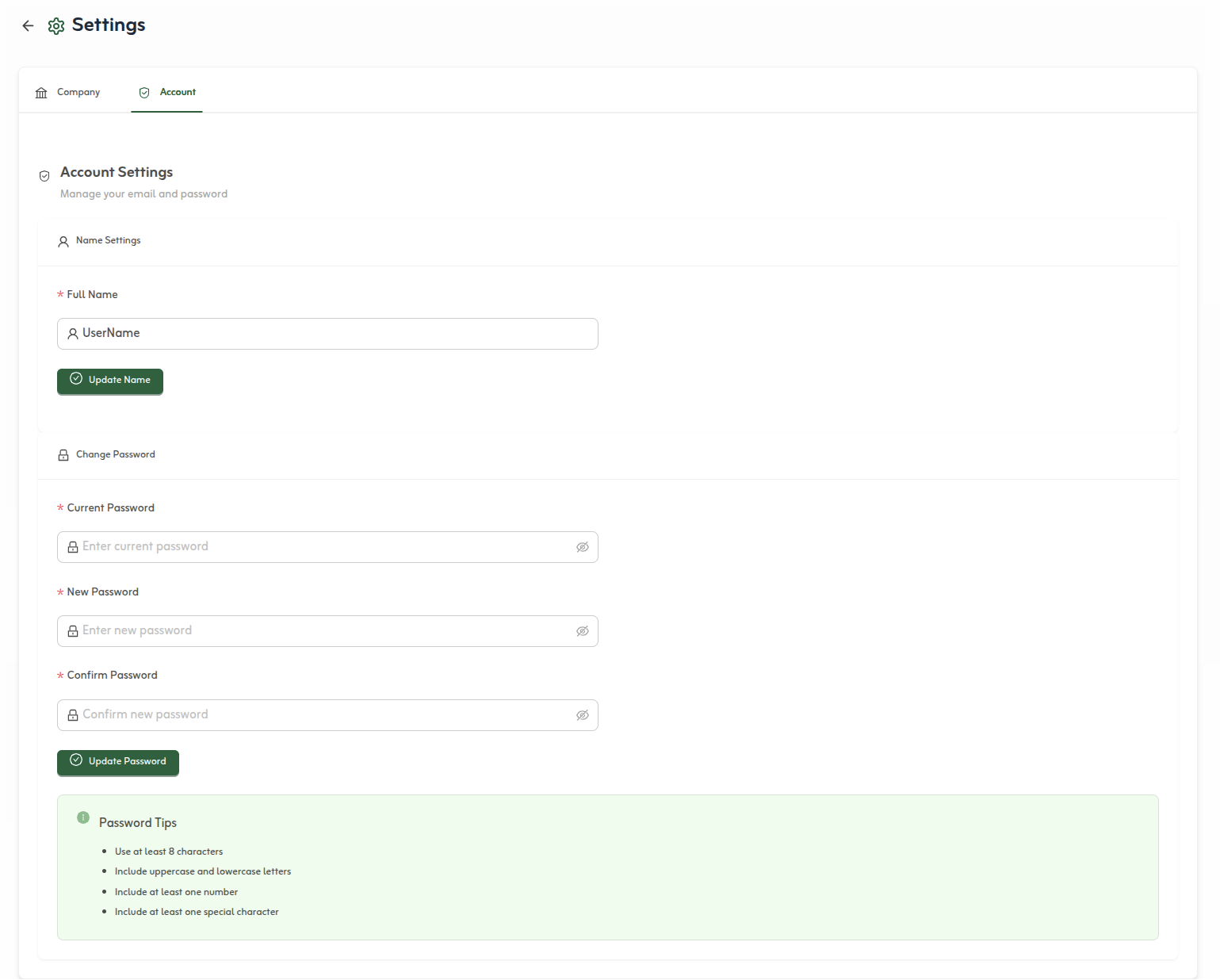
- 1Enter your current password
In the Change Password section, enter your current password to verify your identity.
- 2Enter your new password
Enter your new password and confirm it in the provided fields.
- 3Update password
Click Update Password to confirm the change. You may be signed out of other devices.
Important Notes
- The new email address must be unique and not associated with another account.
- Your email will not be updated until you confirm it via the sent link.
- Don't use the same password for multiple accounts.
- Change your password immediately if you suspect your account has been compromised.