
يتيح لك تصدير البيانات أخذ لقطة من القوائم والمعاملات أو الملخصات لاستخدامها في جداول خارجية أو أرشفة أو مراجعة مع جهات خارجية—دون منح صلاحيات تحرير داخل التطبيق لكل من يحتاج الملف فقط.
الصيغ الشائعة هي Excel و PDF و CSV حسب الشاشة: اختر ما يناسب الجهة المستلمة (تحليل في الجداول، طباعة رسمية، أو استيراد إلى أداة أخرى).
التصدير من الأقسام المختلفة
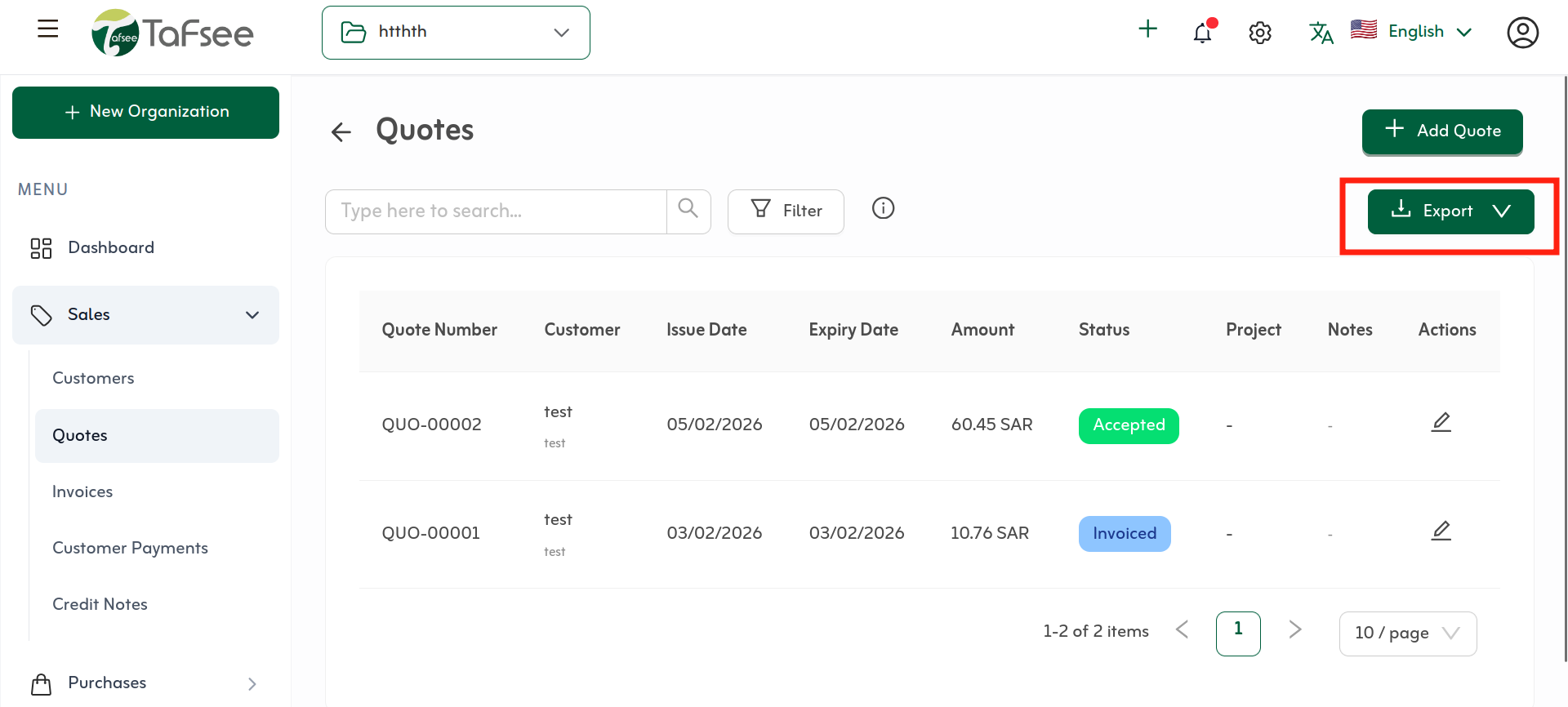
في معظم الأقسام التي تعرض جداولاً أو قوائم—مثل الأصناف، العملاء، الفواتير، المصروفات، والمزيد—ستجد خيار تصدير يناسب ذلك القسم. غالباً يمكنك اختيار Excel أو PDF أو CSV حسب ما يدعمه السجل أو القائمة.
صفِّ البيانات بالفترة أو الحالة قبل التصدير لتجنب ملفات ضخمة غير لازمة؛ إن وُجدت استخلاصات كبيرة، قد يكتمل التصدير لاحقاً مع إشعار عند جاهزية الملف للتنزيل.
قسم التقارير: الكل أو تقرير واحد
في قسم التقارير يمكنك غالباً تصدير كل التقارير دفعة واحدة (حزمة أو قائمة مجمّعة) أو اختيار تقرير فردي ثم تنزيله بصيغة Excel أو PDF أو CSV حسب التقرير—مفيد عندما تحتاج ملفاً واحداً للإدارة أو تقريراً محدداً للمراجعة التفصيلية.
راجع الفترة والفلاتر المرتبطة بالتقرير قبل التصدير، وتأكد من صيغة الملف التي يقبلها المستلم (مثلاً PDF للطباعة، CSV لاستيراد نظام آخر).
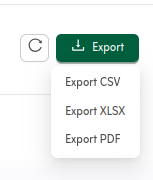
إن كان تصدير «الكل» متاحاً، يوفّر عليك فتح كل تقرير على حدة—مفيد قبل إقفال الشهر أو عند تجهيز حزمة للمراجعة. أما التصدير الفردي فيعطيك ملفاً أنظف وأسرع تحميلاً عندما تحتاج تقريراً واحداً فقط (مثل أعمار الذمم أو حركة مخزن صنف معيّن).
بعد التنزيل، سمِّ الملفات بتاريخ التقرير واسم المنظمة لتفادي الخلط، واحفظ نسخاً للأرشفة إن كانت سياسة مؤسستك تتطلب ذلك. تأكد أن من يصدّر يملك صلاحية رؤية البيانات في ذلك التقرير حتى لا تُنقل أرقام حساسة بالخطأ.
نصائح سريعة
- صفِّ القائمة أو التقرير بالتاريخ والحالة قبل التصدير لتقليل حجم الملف.
- استخدم CSV للاستيراد في أدوات أخرى، وPDF للطباعة، وExcel للتحليل.
- تحقق من صلاحيات المستخدم قبل مشاركة ملفات تحتوي بيانات مالية حساسة.