
Items are reusable catalog lines for quotes, customer invoices, purchase orders, and vendor bills. Each item stores a consistent name, pricing, tax behaviour, and optional attributes such as inventory or identifiers, so document lines stay accurate and you avoid retyping the same details on every transaction.
Building the catalog up front speeds up day-to-day work and keeps reporting aligned: when you adjust a rate or description in one place, new documents pick up the change according to your organisation settings.
Product or service
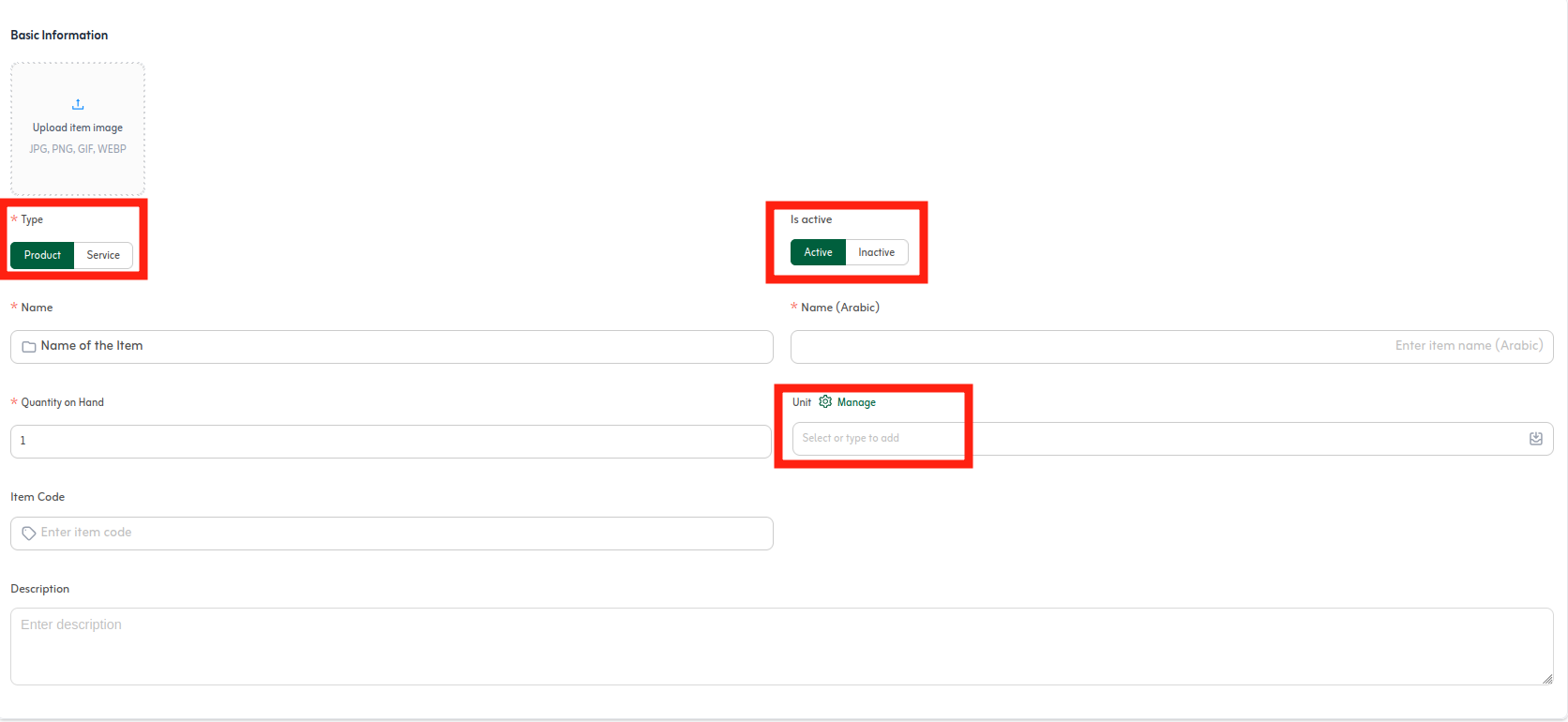
When you create an item, choose product for goods you stock, ship, or count, and service for time- or delivery-based work without physical inventory—consulting, subscriptions, labour hours, maintenance visits, and similar. The right type keeps optional fields (such as stock tracking) relevant and separates goods from services in reporting.
Item details
- Name and description: Make the record easy to find; longer descriptions can flow through to customer-facing PDFs when supported.
- Item code : Keeps look-alike products distinct in lists, imports, and warehouse labels.
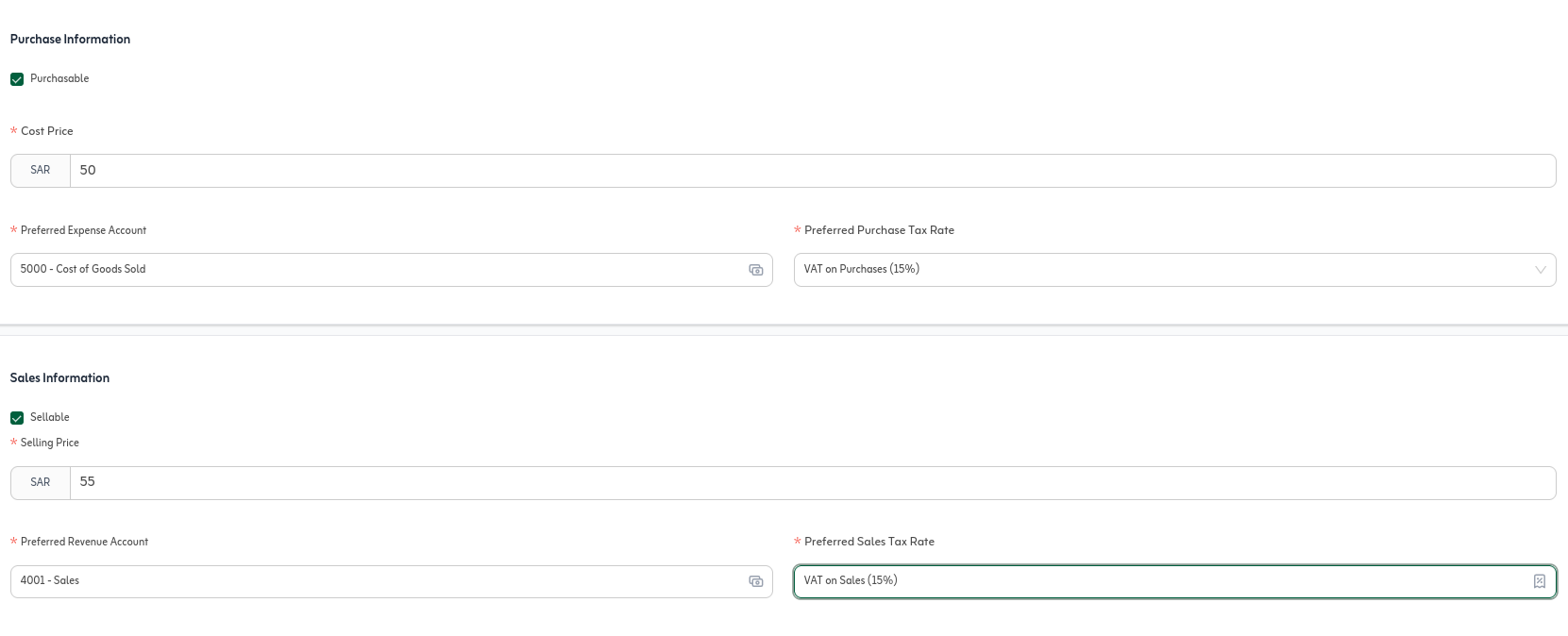
- Rate and tax: Store the reference selling price and default tax treatment so new document lines pre-fill correctly.
- Context fields: Depending on type and settings you may also maintain cost, stock, or category data—complete what your operating model relies on.
Active vs inactive
Mark an item active while you regularly sell or buy it so it surfaces in pick lists, search, and autocomplete on new lines. Set it inactive to retire seasonal or discontinued SKUs: historical invoices and audit trails keep the record, but teammates are steered away from adding it to new documents. Prefer inactive over delete when past transactions must remain explainable.
Unit of measure
The unit—each, kilogram, hour, box, seat, user licence, and so on—drives how quantities print on lines and how stock moves when inventory is enabled. Pick the unit that matches how you quote and fulfil work; mixing the wrong unit on documents versus reality skews counts and margin math. Use organisation-level item preferences when you need a standard unit list for the whole team.
Creating an item
From Items, open the new item form and complete type, details, unit, and status as in the example below.
Item pricing and selling rates
Once the item exists, set its reference selling rate (per your unit): that value pre-fills new quote and invoice lines so the catalog stays the single source of truth for routine pricing.
You can still attach items to price lists for channel-specific or promotional rates while keeping the item master rate as the default benchmark. Editing a line on one document overrides the price for that document only unless you choose to update the item record.
Item information
The item info view pulls the important fields into one place—type, unit, active flag, default tax, reference rate, and optional inventory or coding data—so you can confirm what is on file before you edit or while answering a customer question.
Depending on your setup it may also surface related activity such as recent transactions or stock position, which helps you connect catalog data to what already happened on invoices or adjustments.
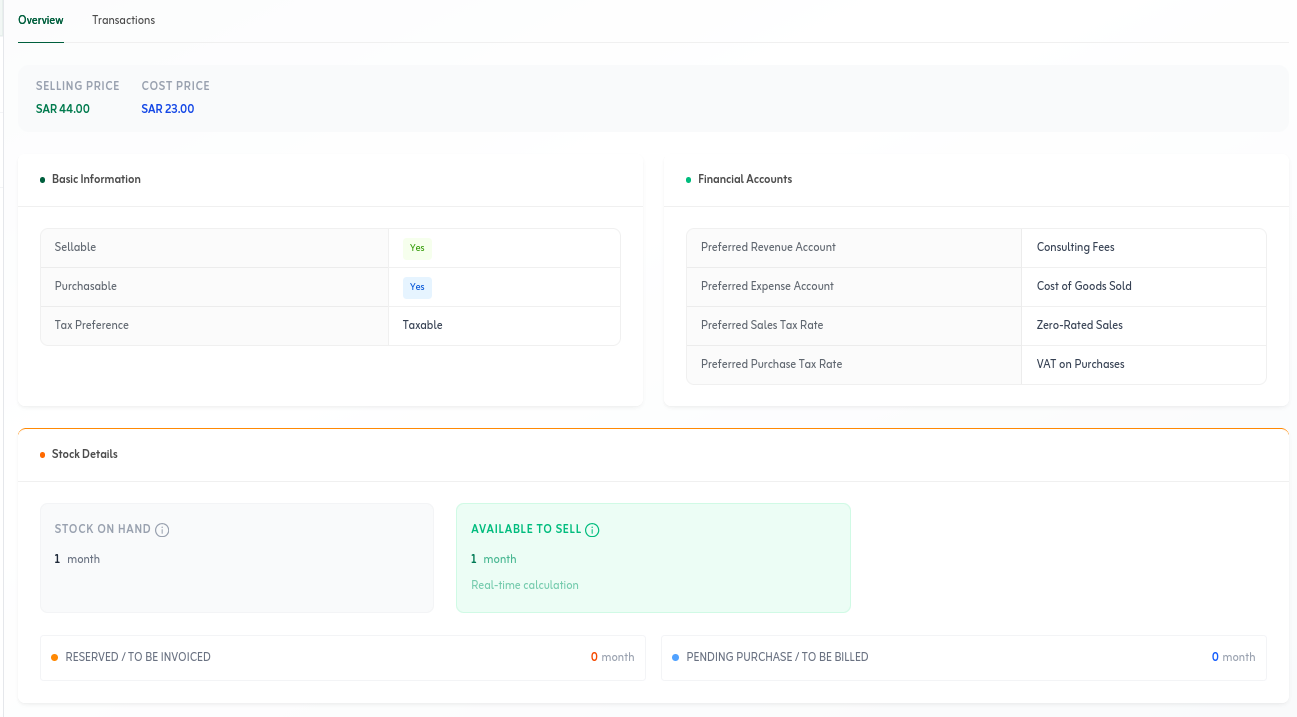
After you save an item, use it on quotes, invoices, and purchase orders right away. Open the item info view when you need to confirm rate, tax, and unit before large or customer-facing documents.
For stocked products, continue with inventory adjustments and item reports in the next guides. For services, focus on type and unit (such as hours) and set discontinued lines to inactive rather than deleting them.
Quick tips
- Use distinct item codes for similar products to speed up search and imports.
- Set default tax on the item to reduce e-invoicing mistakes on new lines.
- Update the item reference rate when list prices change—new documents pick it up automatically.