
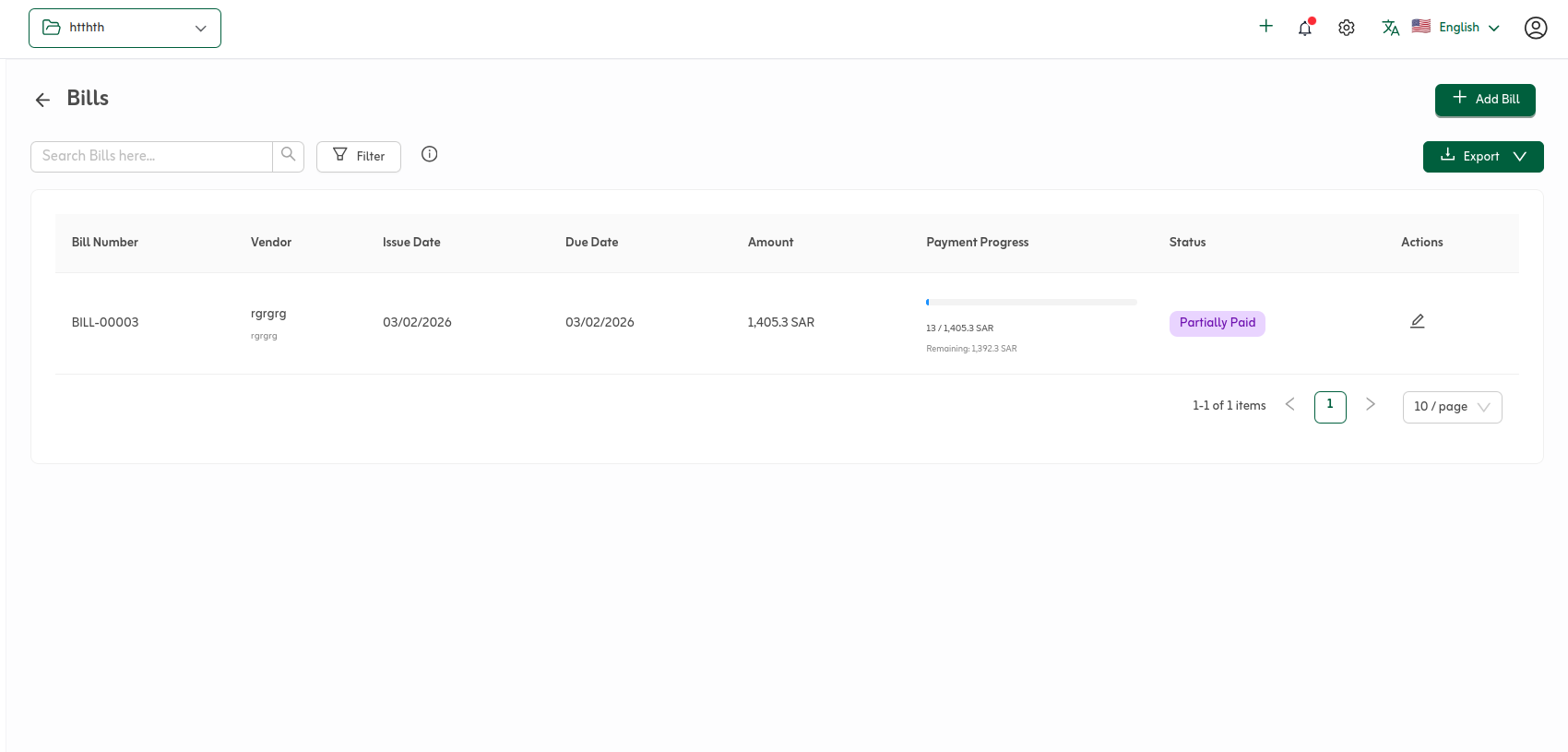
The bills list is the daily control surface for vendor payables: bill number, vendor, issue and due dates, totals, a payment-progress bar showing how much cleared versus what remains, and a status badge (for example draft, partially paid, or paid). Use search and filters to narrow open balances or isolate a supplier before you export or pay.
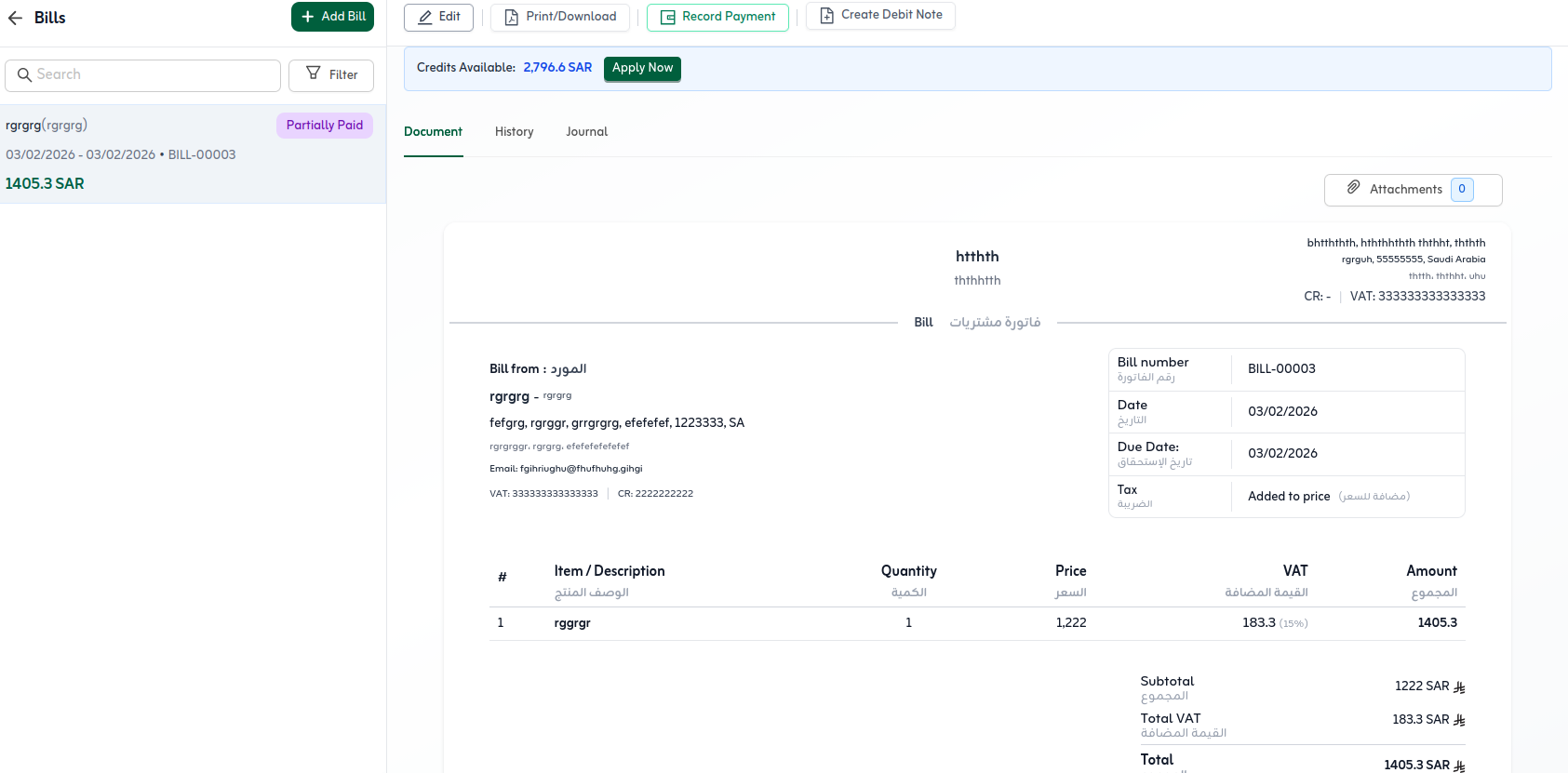
Opening a bill loads the split manage layout—list on the left, detail on the right—with actions such as Edit, Print/Download, Record Payment, and Create Debit Note, plus Document, History, and Journal tabs when you need the printable view, the activity ledger, or the posting detail.
Bills list
From here you launch new bills, export the grid, query with the search field, and use Filter to tighten the dataset. Each row exposes payment progress alongside remaining balance so partially settled invoices stay visible in your queue.
Manage a selected bill
With a bill highlighted in the left rail, use the toolbar to edit before finalisation, print or download a PDF, capture a vendor payment against the balance, or start a debit note when you need supplier-side adjustments. A credits banner surfaces available vendor credits with an Apply path when netting is permitted.
The Document tab previews the printable bill layout (vendor block, lines, VAT totals). Switch to History for the chronological ledger of touches on that bill, or Journal when you must validate how the transaction hit the ledger.
History tab
History lists applied movements against the bill—vendor payments or debit-note applications—with date, typed label, clickable reference codes, and the amount coloured by entry type. Unapply backs out an application before you rework settlement; reserve it for controlled workflows and posting windows your organisation permits.
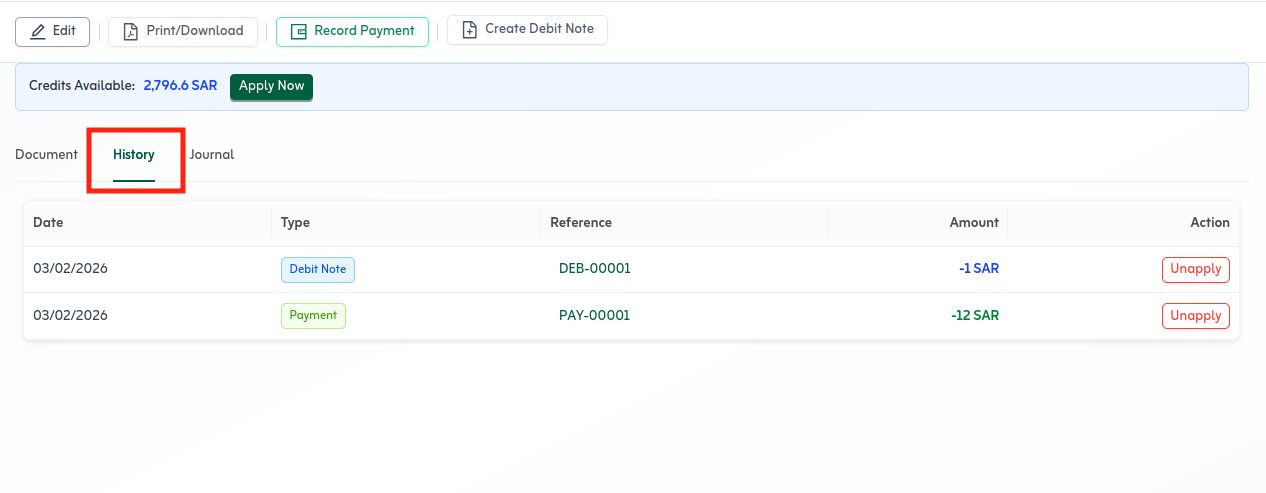
Use the History tab to verify every payment or debit note before month-end close. Unapply is only available within roles and policies your organisation allows.
For partially paid bills, record additional vendor payments from the toolbar until the balance clears and payables ageing updates.
Quick tips
- Filter the list by status (unpaid, partially paid) to prioritise payment runs.
- Apply vendor credit from the banner when netting is available.
- Check the Journal tab before period close to validate postings.